

Active Power Factor Correction (APFC) in a gaming PSU pushes the real‑power‑to‑apparent‑power ratio toward unity, so your system draws less current for the same wattage. This reduces cable and transformer losses, keeps the 80 PLUS efficiency curve higher—especially at the 50‑70 % load range where most gaming sessions sit—and results in cooler operation and longer component life. You won’t see a drastic drop in your monthly electric bill, but you’ll notice lower heat and steadier performance. Keep reading to discover how GaN‑SiC hybrids and AI load‑balancing take PF even further.
What Is Power Factor Correction and Why It Matters for Gaming PCs?
Power factor correction (PFC) is a technology that tames the reactive current a PSU draws, pulling the load closer to a unity power factor and cutting the apparent power (VA) it consumes without changing the real power (W) used. In a gaming PC, you’ll notice that a higher PF means the PSU pulls less current for the same performance, reducing cable losses and heat at typical 50‑70 % loads. Active Power Factor Correction (PFC) pushes the PF toward unity, letting manufacturers shrink transformers and stabilize current, which translates into quieter operation and longer component life. Testing PF at 20 %, 50 %, and 100 % load ensures your chosen PSU maintains efficiency across intense gaming sessions, avoiding the extra heat and wear caused by poor PF in peripherals or LED lighting. Power delivery design considerations from the discussed surge protector and USB-C PD configurations also underscore how efficient power management can support gaming setups with multiple devices without added heat.
How Does Active PFC Differ From Passive PFC in Modern PSUS?
Ever wondered why some gaming PSUs stay cool under load while others heat up quickly? You’ll notice that Active PFC actively reshapes the input current to follow the voltage, keeping the power factor near 1.0 across the whole load curve. That tight control lets designers shrink transformers and chokes, so the unit stays compact and runs cooler. Power factor is also optimized to reduce overall system heat and improve efficiency, which aligns with how high‑quality floating-shelf setups emphasize robust, cable-manageable hardware to keep displays neat and stable.
How Does PF Influence Real‑World Power Consumption While Gaming?
When you game, a higher PF keeps the apparent load lower, so the PSU draws less current for the same wattage. This reduces load‑dependent efficiency drops and cuts cable and transformer losses. This combination also aligns with higher efficiency ratings often associated with high‑density, well‑engineered foam panels and related acoustic treatment that can contribute to cooler operation during long sessions energy efficiency.
PF Affects Apparent Load
Why does your gaming rig draw more current than its wattage suggests? Because the power factor determines how much apparent power (VA) you pull from the wall versus the real power (W) the components actually use. A 600 W load with PF 0.5 forces 1,200 VA, doubling wall current and heating cables.
When you install a PSU with active power‑factor correction, PF climbs toward 1.0, so the same 600 W load only needs about 600 VA. That cut in apparent load reduces line losses, keeps transformers cooler, and stabilizes voltage during long sessions. This is especially noticeable during gaming sessions that spike power draw, where a higher PF helps maintain steady power delivery and reduces stress on the electrical system. Power factor helps quantify how efficiently your setup uses the power you pay for, and improving it with high‑PF units can translate to tangible energy savings over time. Even at 450 W for a high‑end GPU, a high‑PF unit trims current, lowering five‑year energy bills and shrinking UPS requirements. In short, improving power factor shrinks the gap between VA and W, delivering real‑world savings.
Load‑Dependent Efficiency Drops
Improving power factor not only trims apparent current, it also shifts how efficiently your PSU converts that current into usable wattage across different loads. When you game, your system hops between light‑idle, medium‑load, and full‑blast states, and each shift reveals how Power factor correction changes real‑world consumption. At 20 % load, efficiency can plunge to ~75 %, so those brief idle moments waste power unless the PSU’s PF‑aware design keeps the curve smooth. In the 50–70 % sweet spot, a Titanium unit gains about 19 % efficiency over a White model, turning 450‑500 W draws into noticeably lower heat and grid draw. Near 100 % load, premium PSUs still hold >87 % efficiency, limiting excess consumption during marathon sessions. Clear labeling of component efficiency helps users compare PF‑aware designs plan for future expansion.
Real‑World Energy Savings
How much electricity can you actually save by gaming with a high‑PF PSU? You’ll notice a tangible drop in your electricity bill when you switch from a White‑tier unit to a Titanium‑rated PSU. At the typical 50‑70 % load range, a Titanium PSU runs about 19% more efficiently, shaving roughly 237 kWh per year off a rig that pulls ~450 W from a high‑end GPU like the RTX 4090. Power Factor Correction reduces apparent power, meaning the grid supplies less extra current, which translates into modest but real savings and less stress on UPS/inverters. The biggest gains appear when your system stays in that sweet‑spot load band, while upgrades from Bronze to Gold already make sense for most gamers three-layer construction and other grip enhancements can further improve overall system usability.
Which Tools Accurately Measure PF and Efficiency in a Gaming Rig?
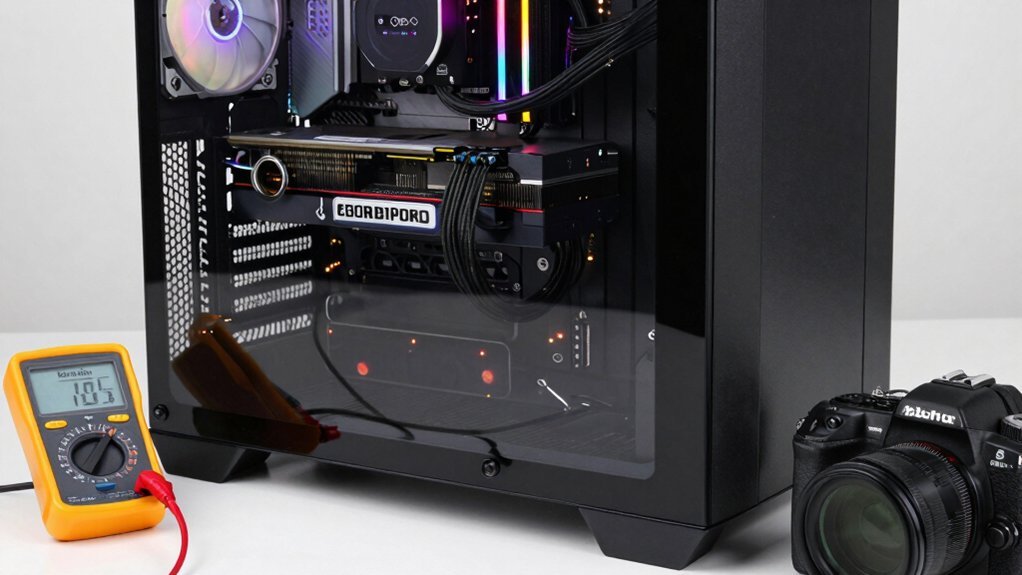
Ever wondered which tools actually give you reliable power‑factor (PF) and efficiency numbers for a gaming rig? You need a high‑accuracy power meter that logs real (W) and apparent (VA) power across 20 %, 50 % and 100 % loads, plus a True‑RMS plug‑in analyzer that captures voltage, current, ripple and harmonics. Pair those readings with a representative gaming workload—say an RTX 4090 pulling ~450 W—to compare efficiency at half and full load. Cross‑check your data against Cybenetics or 80 PLUS test tables to confirm PF stays near 0.9+ and 12 V ripple stays under 15 mV. Monitoring both wall draw and internal rails reveals real‑world savings and UPS compatibility. A high‑quality display or log storage from devices like Bluetooth/WiFi hygrometers is not directly relevant to PF measurements. Power measurement accuracy hinges on selecting devices that provide real‑time, logged data across relevant load points.
How Does Power Factor Correction Affect the 80 PLUS Efficiency Curve?
When you add APFC, the PSU’s input current aligns more closely with voltage, nudging the 80 PLUS curve upward, especially in the 50‑70 % load window where efficiency peaks.
This shift means you’ll see larger efficiency gains at typical gaming loads, while light‑load penalties shrink compared to non‑PFC units. The result is a tangible drop in real‑world power draw and a smoother efficiency profile across the entire curve.
PF Alignment Shifts Curve
Because APFC aligns the input current with the voltage, it pushes the operating point toward a higher power factor, which directly lifts the real‑power efficiency across the 80 PLUS curve. You’ll notice the curve tilt upward at 20 % and 50 % loads because reactive current drops, narrowing the gap between real and apparent power. The effect is most visible when you compare a PF‑optimized unit to a non‑PFC design; the former stays closer to its peak efficiency even at light loads. High‑quality components like GaN or SiC keep the top‑end efficiency above 94 % while preserving the Titanium‑level shape at full load.
- PF improves efficiency at light loads.
- PF narrows the real‑vs‑apparent power gap.
- PF shifts the entire 80 PLUS curve upward.
- PF combined with GaN/SiC sustains peak efficiency.
Load‑Dependent Efficiency Gains
PF alignment lifts the entire 80 PLUS efficiency curve, but the real benefit shows up as load-dependent gains. When you enable Power Factor Correction, the PSU draws current that more closely matches the voltage waveform, reducing reactive power. This tight coupling pushes the sweet spot—around 50-70% load—higher, so a Titanium unit can outpace a White model by roughly 19% in that region. At light loads (≈20%), even top-tier PSUs dip to about 75% efficiency because PF corrections can’t fully compensate for low-current losses. Under full load, a Titanium PSU still holds above 87% efficiency, preserving its advantage across the curve. For a 750 W Titanium feeding a 450 W RTX 4090, the higher efficiency translates into noticeable yearly savings.
Real‑World Power Savings
A typical gaming rig running at 60 % load already shows a noticeable drop in power draw when you switch from a White‑rated PSU to a Titanium‑rated one, because the tighter power‑factor correction keeps the current waveform in phase with the voltage. In real‑world use, that correction lifts the 80 PLUS curve on the sweet‑spot range, shaving watts at 50‑70 % load where most titles sit. You’ll see the White unit slip to about 75 % efficiency at 20 % load, while the Titanium stays near 87 % at full load, cutting annual energy use and CO₂ emissions. Testing across 20 %, 50 %, and 100 % loads validates the gains and prevents marketing hype.
- Higher efficiency at typical gaming loads
- Lower total energy consumption yearly
- Reduced heat and fan noise
- Smaller environmental footprint
Bronze vs. Gold vs. Titanium: Which Tier Gives the Best PF Savings?
So, which efficiency tier actually saves you the most power in a gaming rig? If you compare Bronze, Gold, and Titanium, the power factor advantage grows with each step. Bronze units barely touch PF correction, so you’ll see higher reactive loss at 50‑100% load.
Gold improves PF enough to beat Bronze at mid‑load, giving noticeable savings when your GPU runs at 50‑70% load. But Titanium pushes PF toward unity, delivering the highest peak efficiency—up to ~94%—and the most stable PF across the load range, especially at 100% where Gold can slip.
For a 650W gaming system, a Titanium PSU offers the best long‑term PF stability and real‑power savings, outpacing both Bronze and Gold.
How to Choose PSU Capacity to Hit the 50‑70 % Load Sweet Spot?
You’ll want a PSU that runs at about half to two‑thirds of its rated capacity during typical gaming loads, so pick a unit that’s a bit larger than your peak draw. For a 450 W GPU, a 750 W Titanium model keeps you squarely in the 50‑70 % sweet spot while leaving headroom for overclocking or future upgrades. This balance maximizes efficiency, cuts heat, and protects your overall TCO.
PSU Load Target
Wondering how to size your PSU for peak efficiency? Aim for the 50‑70 % load sweet spot, where Titanium units boost efficiency by roughly 19 % over White models. By matching your typical gaming draw—GPU, CPU, peripherals—to about half‑to‑two‑thirds of the PSU’s rating, you keep the power factor high and electricity costs low. A 750 W Titanium PSU paired with an RTX 4090 lands squarely in this range, delivering optimal performance without the light‑load dip that hurts White‑certified units. Avoid over‑provisioning; excess capacity pushes you past the sweet spot, eroding gains and inflating TCO.
- Calculate average gaming wattage.
- Choose a PSU rated 1.5–2× that wattage.
- Verify the unit’s Titanium certification.
- Confirm the power factor stays above 0.95 at target load.
Future‑Proof Capacity Planning
Efficiency isn’t a coincidence; it’s a design choice that hinges on matching your PSU’s rating to your system’s real‑world draw. To hit the 50‑70 % sweet spot, pick a 650–850 W Titanium or Gold unit and leave ~20 % headroom on the 12 V rails. That margin lets you add a newer GPU or a faster CPU without pushing the load past 70 %, preserving peak efficiency and the benefits of Power factor correction.
Avoid sizing for 80 %+ load; prolonged high‑percent use throttles efficiency and stresses components. By choosing a PSU that comfortably accommodates future upgrades within the 50‑70 % window, you sidestep full replacements and keep your rig running cool, quiet, and cost‑effective.
How to Calculate Annual kWh Savings for a 450 W GPU on a 650 W PSU?
How do you figure the yearly kWh saved when a 450 W GPU runs on a 650 W PSU with high power‑factor correction? First, note the GPU draws ~450 W real power regardless of PF, but a PF of 0.95–1.0 drops apparent power from ~750 VA to ~470 VA, cutting line current and I²R losses. Next, estimate daily usage (e.g., 9 hours) and compute the difference in effective power draw between a low‑PF (≈0.65) and high‑PF scenario. Multiply that per‑hour saving by the annual hours (9 h × 365). The result gives the kWh saved per year.
- Record real‑power load (450 W).
- Determine low‑PF apparent power (≈750 VA).
- Calculate high‑PF apparent power (≈470 VA).
- Apply usage hours to find annual kWh reduction.
Why Does PF Reduce Heat Generation and Extend Component Lifespan?
The kWh savings you calculated show how a higher power‑factor correction trims the current your PSU draws, and that reduced current directly cuts the I²R losses that turn electrical energy into heat.
When the power factor approaches 1.0, the PSU delivers the same real power with less line current, so switching losses on the 12 V rail drop and ripple shrinks.
Lower reactive currents also ease heating in inductors and EMI filters, keeping capacitors cooler and reducing thermal stress on their 105 °C ratings.
Cooler operation means less thermal cycling of cables, connectors, and internal components, which slows wear and extends lifespan.
In a gaming rig, this translates to steadier voltage, lower overall system temperature, and longer‑lasting GPU and CPU performance.
Why PF Doesn’t Lower Your Monthly Electricity Bill?
Why does a higher power‑factor correction rarely show up on your monthly bill? You still draw the same real watts from your GPU, CPU, and other components, so the utility measures unchanged energy. Power Factor Correction mainly cuts reactive current and internal losses, not the kilowatt‑hours you’re billed for.
- Real power consumption stays constant, so kWh usage doesn’t drop.
- Residential tariffs charge for watts, not apparent power, so PF gains aren’t reflected in charges.
- Efficiency gains reduce heat and component wear, not the amount of electricity you consume.
- Only if your provider bills for reactive power would PF correction affect the bill, which is rare for home users.
Thus, PF improvement helps hardware longevity and system efficiency, but it doesn’t directly lower your monthly electricity cost.
When Does an External PF‑Correction Device Actually Help a Gaming Setup?
Even though a higher power‑factor correction doesn’t shrink your kWh bill, it can still matter when the load you feed your PC isn’t pure resistive. You’ll see real benefit only if your rig pulls a lot of apparent power from non‑linear devices—high‑end GPUs, PCIe SSDs, USB‑C chargers, or an external monitor with a cheap power supply. In those cases, external PF correction devices can trim VA demand, easing inverter and wiring losses. If your built‑in APFC already hits 0.95‑1.0 PF, adding another device across the whole system yields negligible savings; target the worst offenders instead.
| Load Type | PF Impact |
|---|---|
| GPU/PCIe SSD | Low PF, high VA |
| Monitor/Charging hub | Often low PF |
| Built‑in PSU | Near‑unity PF, little gain |
What’s Next? GaN‑SiC Hybrid PSUs & AI Load‑Balancing for PF
Where does gaming power‑supply tech go from here? You’ll see GaN‑SiC hybrid PSUs pushing peak efficiency toward ~96 % by marrying GaN’s fast‑switching transistors with SiC’s robust power electronics. AI‑driven load‑balancing then steers current draw to match the AC line’s peak, sharpening power factor correction and shrinking VA demand during intense gaming sessions. The result is cooler operation, fanless windows, and tighter 12 V rail regulation that protects GPUs and CPUs under boost clocks. Regulatory pressure for higher PF and lower standby draw accelerates adoption, while real‑time AI control refines PF on the fly.
- GaN‑SiC hybrid architecture
- AI load‑balancing algorithms
- Fanless cooling and reduced heat
- Real‑time power factor correction optimization
Power Factor Correction Checklist for Selecting a Gaming PSU
Looking for a gaming PSU that keeps your rig efficient and your components cool? Start by demanding Active Power Factor Correction (APFC) and an 80 PLUS Gold or Titanium rating, which push the Power Factor (PF) toward unity and cut apparent power waste. Check real‑world PF at 20 %, 50 % and 100 % loads—don’t rely on a Gold label that may dip to 82 % efficiency at full load. Verify that the unit’s cables are thick‑gauge, low‑resistance, and well‑shielded, because a 2–5 % loss in cabling can erode PF gains. Aim for a 650 W–850 W PSU with Titanium or high‑quality Gold PF performance to handle peak GPU draws, keep heat down, and extend component life.
Frequently Asked Questions
Does Power Factor Correction Save Money?
You’ll see little direct bill reduction; PFC mainly improves efficiency and reduces strain on equipment. Savings come from higher‑efficiency PSUs at heavy loads, not from the correction itself.
Do Power Factor Savers Really Work?
Yes, they work—by raising your power factor toward 1.0, they cut reactive current, lower inverter losses, and improve grid efficiency, though the bill‑saving impact varies with load and local rates.
Should I Enable Power Factor Correction?
Yes, you should enable power factor correction; it improves your PSU’s efficiency, reduces input current, and helps protect components, even though it won’t noticeably lower your electricity bill.
What Does a PF of 80% Mean?
A 80% PF means only 80 % of the power you draw does useful work; the remaining 20 % is reactive, increasing current, causing extra losses, and stressing your wiring and components.
In Summary
In the end, a PSU with solid power‑factor correction keeps your gaming rig running efficiently without wasting power, but it won’t magically slash your electric bill. Focus on a high‑quality, 80 PLUS‑rated unit, check the PF rating, and prioritize overall efficiency and stable voltage delivery. With those basics covered, you’ll enjoy smooth gameplay, reliable hardware, and the peace of mind that your power supply is doing its job right.


Leave a Reply