
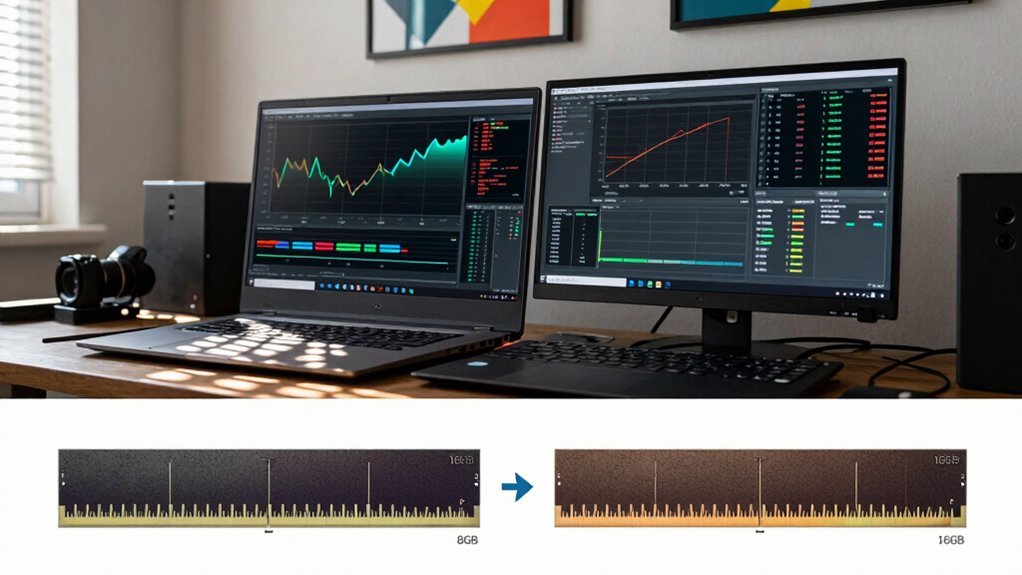
Upgrading from 8 GB to 16 GB RAM gives you smoother texture streaming, fewer frame‑time spikes, and enough headroom for background apps, especially in modern 1080p titles and memory‑heavy games. You’ll notice less stuttering during open‑world transitions and when multitasking with browsers, voice chat, or recording. While FPS gains are tiny—often under 0.5%—the overall responsiveness improves noticeably. Dual‑channel configurations boost bandwidth further. If you keep going, you’ll discover how specific genres and upgrade options affect performance.
GB vs 16GB RAM: Who Needs Which?

Which of you truly needs 8 GB versus 16 GB of RAM? If you mainly browse the web, edit documents, and run a few lightweight apps, 8 GB gives you enough memory to keep performance steady. You’ll notice occasional slowdowns when many tabs or background processes compete for capacity, but most tasks stay responsive. For creators who stream or record while multitasking, 16 GB provides extra headroom to prevent stuttering and maintain smooth playback during longer sessions, especially when using multiple apps and peripherals. Color temperature options and adjustable lighting features can further improve on-camera quality when you’re streaming or recording content.
GB vs 16GB RAM: How Capacity Impacts Game Loading Times
You’ll notice faster asset caching when you upgrade to 16 GB, which cuts down those annoying loading spikes. The extra memory lets the game keep more textures and geometry in RAM instead of constantly swapping to disk. As a result, level transitions feel smoother and overall load times drop, especially on titles with huge texture packs. Memory capacity supports longer sustained performance during extended gaming sessions and reduces stutter when assets are streamed on the fly.
Faster Asset Caching
Does your game feel sluggish during load screens? With 16 GB of RAM you can cache far more assets, so texture streaming stays in memory instead of hitting the pagefile. The larger memory capacity lets the engine keep entire map sections and high‑resolution textures ready, slashing loading times and eliminating the stutter you see when 8 GB forces frequent disk swaps. In open‑world titles, the cache hit ratio jumps, so you notice quicker area transitions and smoother initial loads. Even if your GPU and CPU are strong, the bottleneck shifts to how much data the RAM can hold. When the cache fits comfortably, the system reads less from disk, delivering a noticeably faster, more fluid gaming experience. This is why budget and upgrade planning often emphasizes scalable storage and memory strategies to maintain long‑term performance stability. RAM capacity provides a tangible path to improved overall game responsiveness beyond GPU and CPU gains.
Reduced Loading Spikes
With the larger cache already keeping more assets in RAM, the next benefit you’ll notice is a drop in loading spikes. On a 16GB system, RAM capacity holds a bigger streaming buffer, so when you jump between zones the engine can pull textures and geometry from memory instead of hitting the pagefile. Regular maintenance and ensuring memory integrity also help sustain these gains Surface Compatibility over time.
An 8GB machine often runs out of space, forcing memory paging that creates sharp pauses and longer spikes. Open‑world titles illustrate this: 16GB usually trims a few seconds off each transition, while 8GB may stall while the OS swaps data to disk. You’ll feel smoother level changes and fewer hiccups, though the exact improvement varies by game.
GB Vs 16GB RAM: Frame‑Rate Gains at 1080P

Wondering if 16 GB of RAM will noticeably boost your 1080p FPS? In practice, the frame‑rate gap between 8GB and 16GB is tiny—often under 0.5% in most titles. You’ll rarely see a steady FPS jump; the real win is smoother texture streaming and shorter load stalls. When a game pushes past 8GB, you might catch brief dips or stutter as the system swaps to disk, but 16GB keeps assets cached and steadies the flow. If you run background services, the extra memory prevents those occasional hitches that can momentarily dip your frame rate. So, for pure 1080p gaming, 16GB offers a practical balance, delivering minimal universal FPS gains over 8GB while improving overall smoothness, especially in workloads that involve multiple displays or background tasks and memory management efficiency.
Multitasking While Gaming: Browser Tabs, Voice Chat, and Recording
When you keep a few browser tabs, a voice‑chat app, and a recording tool running while gaming, your system must juggle memory between the game and those background processes. With 16 GB you get enough headroom to keep latency low and avoid stutters, but 8 GB often forces the OS to swap, raising frame delays. The extra RAM also cushions the impact of integrated graphics sharing, giving you smoother multitasking during play Memory headroom.
Resource Allocation
Can you keep your frame rates steady while juggling browser tabs, voice chat, and recording software? Your RAM becomes the bottleneck when multitasking pushes memory usage toward the limit. Windows already consumes 4–5 GB at startup, so each extra tab, Discord, or OBS buffer eats the remaining headroom. Heavy sites and extensions can soak up several hundred megabytes per tab, while recording apps allocate large buffers that spike memory demand. When total usage nears 100% of available RAM, gaming performance degrades: frame pacing stutters and you may see swapping to disk. With 16 GB, background processes stay comfortably within limits, letting the game run smoothly. With only 8 GB, you’ll frequently hit the ceiling, forcing the system to offload data and causing noticeable lag. RAM capacity provides a clearer baseline to gauge how much headroom you have for simultaneous tasks while gaming.
Latency Impact
Anything that pushes your system close to its RAM limit—like a handful of browser tabs, a voice‑chat client, and a recording app—adds extra latency that can ripple into your game. When you run those background tasks on 8 GB, RAM latency spikes and swap activity kicks in, causing stutter and uneven frame pacing. With 16 GB you keep the memory pool spacious, so multitasking stays smooth and the OS rarely resorts to disk swapping. Faster memory speed further trims latency, letting microphone capture and streaming overlays stay responsive. In short, the extra capacity preserves consistent frame pacing and prevents the lag that ruins competitive play.
| Scenario | Expected Latency |
|---|---|
| 8 GB + many tabs | High |
| 8 GB + voice chat | High |
| 8 GB + recording | High |
| 16 GB + many tabs | Low |
| 16 GB + voice chat | Low |
Game Genres That Need 16 GB or More (MMO, Simulation, Large‑Map Open World)

Do you know why MMO, simulation, and massive open‑world titles often demand 16 GB or more of RAM? These genres load sprawling maps, countless NPCs, and high‑resolution textures, forcing the system to cache assets continuously. With 16GB you’ll see smoother texture streaming and fewer stutters, while limited RAM triggers pop‑in and longer load times. MMOs keep thousands of players online, simulations track complex physics and AI, and open‑world games push dense environments that can exceed the 16 GB threshold. As you add mods or high‑resolution packs, memory usage climbs, making 32 GB a practical future‑proof choice for uninterrupted sessions. Even though frame‑rate gains at 1080p may be modest, sufficient RAM is essential for consistent performance in these memory‑heavy titles.
Benchmark Results for Popular 1080P Titles (16 Gb Vs 8 Gb)
The demanding memory needs of MMOs, simulations, and massive open‑world games set the stage for a closer look at how 16 GB stacks up against 8 GB in real‑world 1080p performance. In benchmark tests across popular 1080p titles, the RAM gap yields modest gains—average frame‑rate lifts rarely exceed 0.5 %. Heavy‑weight AAA releases, however, show occasional stutter and longer load times on 8 GB, where 16 GB smooths frame times and cuts dips, especially when you stream or run background apps. Larger caches in a 16 GB system also trim texture swaps, giving marginally faster loading.
Is 16 GB Enough for Your Current Games?
You’ll find most modern titles sit comfortably within a 16 GB budget, and the frame‑rate hit compared to 8 GB is usually minimal. When you stream music, browse, or run background apps while gaming, that headroom can shrink, making multitasking feel tighter.
If you plan to use massive mods, texture packs, or want a future‑proof setup, stepping up to 32 GB may keep performance steady.
Game Memory Requirements
Wondering whether 16 GB of RAM will keep up with your games? Most modern titles run comfortably on 16GB, giving you headroom for background apps and higher settings, while 8GB can feel cramped in demanding releases. You’ll notice smooth gameplay in titles like “Elden Ring” or “Fortnite,” but some RAM‑heavy games—especially those with massive open worlds or mods, such as “Escape from Tarkov”—can push beyond 16GB, causing stutter or crashes. Windows already consumes 4–5 GB at startup, so the effective buffer shrinks. If you habitually stream, run voice chat, or keep a web browser open while gaming, that buffer matters. In short, 16GB is a solid baseline for current gaming, but future‑proofing or heavy multitasking may justify a jump to 32GB.
Typical Frame Rate Impact
Ever wondered if 16 GB of RAM will keep your frame rates steady? In 1080p gaming the difference between 16 GB and 32 GB is usually under 0.5 %, so you won’t notice a dramatic jump in FPS. Most modern titles run comfortably on 16 GB, though memory‑hungry games like Tarkov can stutter when the limit is hit. Larger RAM banks let the system cache textures and assets, shaving loading times without lifting the frame‑rate ceiling. When you stream, browse, or run background apps, the 16 GB headroom shrinks, and occasional dips may appear.
- Smooth gameplay when RAM stays within limits
- Minor FPS gain only in extreme memory‑heavy scenarios
- Consistent 1080p experience without needing to upgrade to 32 GB
Multi‑Tasking and Future‑Proofing
Is 16 GB of RAM truly enough when you’re gaming while streaming, recording, or juggling other apps? You’ll find 16 GB comfortably handles most titles at 1080p, but Windows and background services already eat 4–5 GB, leaving less headroom for demanding games. When you add a streaming encoder or a recording tool, multitasking can push memory use toward the limit, causing occasional stutters or longer load times. Heavy open‑world or 3A games benefit from the extra buffer that 32 GB provides, especially if you keep browsers, voice chat, and mods open. For now, 16 GB meets current needs, but if you aim to future‑proof your setup or run multiple memory‑intensive applications simultaneously, upgrading to 32 GB is a prudent move.
4K and High‑Refresh‑Rate Gaming: Does Extra RAM Matter?
Do you need extra RAM for high‑refresh‑rate gaming? If you’re pushing 144 Hz or higher, 16GB usually nails the performance you crave. Upgrading from 8GB to 16GB cuts stutter, shrinks load spikes, and lets the GPU breathe. Only a few titles—like Tarkov—bypass that ceiling, demanding more than 16GB and causing hiccups until you add memory. For most shooters, racers, and esports titles, 16GB delivers buttery‑smooth frames, while 32GB is a safety net for heavy multitasking or future‑heavy games.
16 GB handles 144 Hz gaming smoothly; 32 GB only needed for heavy multitasking or future‑intensive titles.
- Smoothness: 16GB eliminates frame‑time variance.
- Future‑proof: 32GB guards against memory‑hungry releases.
- Cost‑efficiency: 8GB leaves you chasing bottlenecks.
Stick with 16GB for current high‑refresh‑rate gaming, and consider 32GB only if you stream, mod, or run many background apps.
How Windows Virtual Memory Affects Gaming With Limited RAM
Why does your game stutter when you hit the RAM ceiling? Windows swaps excess data to virtual memory, using a pagefile on your drive. When RAM capacity is low, the system constantly pages textures, AI meshes, and background processes, turning fast RAM access into slower disk reads. That latency shows up as frame‑time spikes and noticeable stutter, especially in open‑world scenes with large assets. An SSD eases the penalty compared to an HDD, but it still can’t match the immediacy of physical RAM.
If the pagefile fills quickly, you’ll feel input‑to‑frame lag as the OS shuffles data back and forth. Keeping enough headroom—by closing apps or upgrading RAM—reduces page faults, smooths frame times, and lets the game run without frequent paging interruptions.
Why Dual‑Channel Beats Single‑Channel for Both 8 GB and 16 GB
Ever wondered how a simple two‑stick setup can outpace a single‑module configuration? When you install matched modules, the memory controller opens a dual‑channel pathway, instantly widening memory bandwidth. That extra lane lets the CPU pull and push data twice as fast, so both 8GB and 16GB kits feel snappier in games and multitasking. You’ll notice smoother frame rates, quicker load times, and fewer stutters, even though the total capacity stays the same.
Dual‑channel memory doubles bandwidth, delivering smoother gaming and faster multitasking without increasing capacity.
- The boost feels like a turbo‑charged upgrade for your 8GB system.
- Your 16GB rig gains faster texture streaming without extra RAM.
- Matched modules guarantee stability and the full dual‑channel advantage.
Can Faster 8 GB Compete With Slower 16 GB? (Overclocking Speed)
Even with dual‑channel already giving you a bandwidth boost, the real question becomes whether a faster 8 GB kit can hold its own against a slower 16 GB kit. When you overclock 8GB RAM to 3200–3600 MHz, you’ll see a modest jump in data‑transfer rates, shaving a few milliseconds off load times and nudging frame‑time variance. However, the 8 GB capacity still caps multitasking and high‑resolution textures, so game performance can stall once the memory pool fills.
A 16 GB kit at standard speed offers ample headroom, preventing swapping and stutter in memory‑heavy titles. In casual gaming with few background apps, the speed boost may feel comparable, but across diverse workloads the capacity advantage of 16 GB remains decisive.
Cost‑Benefit Analysis: Is the Price Gap Worth the Upgrade?
Is the extra cost of 16 GB RAM worth it? You’ll find the gap modest, yet the upgrade pays off when multitasking or handling memory‑heavy apps. For most 1080p games the FPS bump is tiny, but titles that load large textures or run background tools stay smoother with 16 GB. Creators, developers, and power users notice less swapping and faster response, extending your PC’s useful life and delaying pricier future fixes.
- Smooth multitasking – no stutters when you juggle browsers, spreadsheets, and VMs.
- Steadier gaming performance – frame times stay consistent in demanding titles.
- Future‑proofing – the extra headroom keeps your system relevant longer.
The cost‑benefit balance leans toward the upgrade if you value responsiveness and longevity over a minimal price saving.
Upgrade Options: Add a Second 8 GB Stick or Switch to a 16 GB Kit
Considering whether to add a second 8 GB stick or replace your module with a 16 GB kit hinges on slot availability, compatibility, and long‑term goals.
Slot availability, compatibility, and future goals dictate whether to add an 8 GB stick or upgrade to a 16 GB kit.
If you have an empty slot and your existing stick matches speed and latency, a RAM upgrade with a second 8 GB module activates dual‑channel mode, boosting bandwidth and delivering a noticeable performance impact in gaming and multitasking.
However, a 16 GB kit guarantees both modules are identical, eliminating compatibility headaches and ensuring consistent timings across the board. It also simplifies installation—one kit instead of two pieces—and often provides more headroom for future software demands.
Choose the dual‑channel route when you can match specs; otherwise, the matched 16 GB kit offers a cleaner, more reliable upgrade path.
Frequently Asked Questions
How Does the Size of RAM Affect System Performance?
You feel faster when RAM’s larger because more data stays in fast memory, cutting swaps and lag. Heavy apps, many tabs, or games benefit most, while light tasks see only modest gains.
Is 32GB of RAM a Lot Better Than 16GB?
You’ll notice a modest boost only when you run memory‑heavy apps or multitask heavily; for most gaming and everyday tasks, 32 GB isn’t dramatically better than 16 GB, but it does future‑proof your system.
Is 256 GB of RAM Overkill?
Yes, 256 GB is overkill for most users; you’ll rarely exceed 32–64 GB in typical workloads, so the extra cost and power usage won’t translate into noticeable performance gains for everyday tasks.
How Much RAM Do I Need in 2026?
You’ll need at least 16 GB for smooth gaming and multitasking in 2026, but bump to 32 GB if you edit video, run VMs, or want future‑proofing for heavy AI tools.
In Summary
In the end, if you mainly game at 1080p, run a few apps, and stick to mainstream titles, 8 GB will keep you cruising. But once you dive into massive open‑worlds, stream while you play, or juggle many tabs and voice chat, the extra headroom of 16 GB eliminates stutters and future‑proofs your rig. Pair it with dual‑channel and you’ll squeeze every ounce of performance—making the modest price jump a smart, lasting upgrade.


