
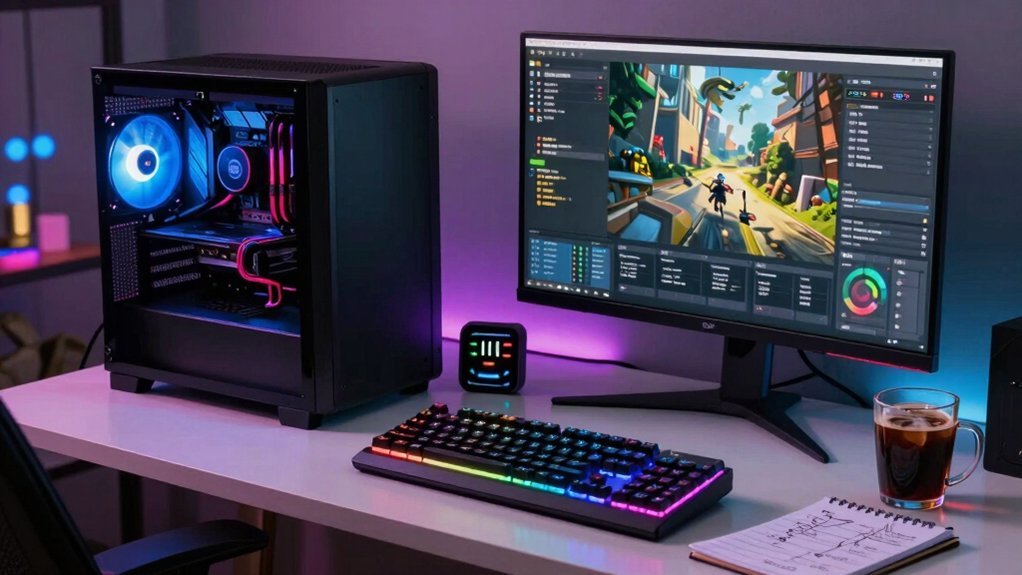
You’re seeing a $15‑$50 bump because a gaming PC draws 300‑800 W, so an 8‑hour daily session uses 60‑120 kWh per month. Power spikes when you game intensively, stream, or overclock, and extra monitors and RGB lighting add 20‑50 W each. Regional electricity rates vary—California’s ~32¢/kWh versus Texas’s ~12¢/kWh—so the same usage can cost vastly different amounts. If you keep digging, you’ll discover how to measure, undervolt, and manage power to stay within that budget.
Typical Gaming PC Power Consumption

Typically, a gaming PC draws 300‑500 W while you’re in the middle of a session, and high‑end rigs can spike to 500‑800 W or even exceed 800 W under peak load. You’ll notice that power consumption hinges on GPU demand; a top‑tier card can gobble 60‑70 % of that wattage, while a modest GPU stays around 100‑150 W. When you’re idle, the system still pulls 60‑150 W, but light gaming drops to 200‑350 W and intensive titles push 400‑700 W. Adding extra monitors or RGB lighting tacks on another 20‑50 W each. Those variations translate directly into electricity costs, especially if you stream while gaming, where the draw can climb to 800‑800 W, inflating your monthly bill. Understanding surge protection and USB charging capabilities in your power setup can help optimize efficiency and protect gear surge protector specs.
How Tier Affects Power Draw?
How does your PC’s tier shape its power draw? Higher‑tier systems pull considerably more wattage, so a high‑end rig can reach 500–800 W during gaming and even 800‑1000 W at peak load, while entry‑level builds stay around 200–350 W.
The GPU power draw dominates this tiered power consumption: entry GPUs sit at 100–150 W, mid‑range at 150–250 W, and high‑end cards like an overclocked RTX 4090 exceed 450 W.
Your electricity rate then translates that draw into cost—California’s ~32 ¢/kWh makes a 600 W peak far pricier than Texas’s ~12 ¢/kWh.
Add peripherals or aggressive cooling and you’ll push the tier upward by another 20‑100 W, inflating monthly bills even before software monitoring.
Power Consumption guidance can help you estimate total load by summing core components and peripherals.
Breaking Down Power Use by Component

Your PC’s tier tells you roughly how much power it will consume, but the real story lies in how each component contributes to that total. The GPU dominates power draw, accounting for 60‑70 % of usage; an entry‑level card sips 100‑150 W, mid‑range 150‑250 W, while an extreme RTX 4090 can spike to 450 W. The CPU adds another 50‑150 W, especially under heavy loads. Memory and storage are modest, each drawing 5‑10 W. Multi‑monitor rigs tack on 20‑50 W per extra screen, and RGB lighting can add another 20‑50 W. At idle, you’ll see 60‑150 W, but idle vs gaming can jump to 200‑700 W. Tracking these numbers with a Kill‑A‑Watt or software tools lets you estimate the electricity bill accurately. Power consumption considerations from the GPU and CPU profiles can further inform how you optimize for efficiency during long gaming sessions.
GPU Power Use by Model
You’ll see entry‑level GPUs hovering around 100–150 W, mid‑range models hitting 150–250 W, and high‑end cards ranging from 250 up to 450 W or more. The RTX 4090, for example, can draw up to 450 W, making it a major chunk of a gaming PC’s total power draw. Real‑world usage shifts with overclocking, voltage, cooling efficiency, and whether you’re gaming or stress‑testing. Budget boards and power delivery considerations can influence stability when running high‑end GPUs at peak loads VRM cooling and, consequently, how efficiently power is managed under load.
Tier Power Ranges
Ever wondered how much power your GPU actually draws? The GPU power range defines three Tiered GPU bands that dominate your total power draw and electricity costs. Entry‑level cards sit at 100–150 W, pulling a modest share of the 200–350 W budget for a typical gaming rig. Mid‑range models jump to 150–250 W, pushing the system into a 300–500 W envelope. High‑end GPUs climb further, 250–450 W, which lifts the whole PC to 500–800 W. At the extreme end, cards like the RTX 4090 exceed 450 W, driving the total power draw past 800 W. Budget storage principles and planning emphasize using modular organizers and clear labeling to maximize space and protection as you scale up your setup growth planning.
Model‑Specific Consumption
How much power does a specific GPU actually pull? You’ll see a GTX 1660 or RTX 4060 sipping 100‑150 W, while a RTX 4070 or RX 7700 XT climbs to 150‑250 W. The RTX 4090 pushes the envelope, hitting up to 450 W, and extreme overclocked rigs can exceed that. Since GPU power makes up 60‑70% of a gaming PC electricity bill, the model you choose directly drives your monthly cost. Mid‑range cards strike a balance, offering solid performance without the steep electricity hit of a top‑tier card. Selecting a model that matches your workload helps keep gaming PC electricity within a reasonable budget. Memory Interface 256‑bit
Real‑World Usage Scenarios: Idle to Intensive Gaming

Ever wondered how your PC’s power draw shifts from idle to a full‑on gaming session? When it’s idle, you’re looking at 60–150 W, and that baseline determines your monthly electricity cost if you leave it on all day. A typical gaming setup can also include peripherals and displays that add to the load, such as additional monitors or RGB lighting, which can push the total higher. under-desk clamp and other accessories can contribute to the overall consumption in real-world scenarios. Switches to light gaming jumps to 200–350 W, while intensive titles push 400–700 W, and streaming can creep up to 800 W. A high‑end rig at 0.133/kWh for run 8 hours a day costs about $17.30 a month, versus $5.77 for an entry‑level box. If you let the machine sit in sleep mode, power consumption drops dramatically, saving you dollars.
Add extra monitors or RGB lighting and you’ll see another 20–50 W per device, nudging the bill higher. Real‑world factors like overclocking, fan speed, and dust can further shift these numbers.
How Local Electricity Rates Affect Your Bill?
Where do you live, and what’s your kilowatt‑hour price? Knowing your electricity rate lets you translate a gaming PC’s wattage into a real monthly cost. A 300 W rig run eight hours a day uses about 72 kWh a month; at a 12 ¢/kWh rate that’s roughly $8.60, while a 32 ¢/kWh rate pushes it past $23. The regional variation in kWh price can double or triple your bill, so budgeting hinges on local data.
- Texas: ≈ $0.12/kWh → lower monthly cost
- California: ≈ $0.32/kWh → higher monthly cost
- National average: 16.44 ¢/kWh → mid‑range estimate
- Your component choices should reflect your regional rate to keep the monthly cost in check.
Extra Watts From Multiple Monitors & RGB
Your electricity bill can jump quickly once you add extra monitors and light up RGB lighting, because each component pulls its own power. A second monitor typically adds 20‑50 W, and a high‑resolution panel can push that even higher. If you run three screens, you’re looking at 60‑150 W extra, plus the GPU load needed to drive them.
RGB lighting isn’t just decorative; when you enable full‑zone effects it can consume another 20‑50 W across the whole system, even at idle. Those watts add up, raising overall power consumption and inflating electricity costs month after month. Keep an eye on your settings, and consider turning off unused monitors or dimming LEDs to keep the bill in check.
Impact of Overclocking and Higher Voltages
When you push your CPU or GPU beyond stock speeds, the extra voltage and frequency spikes power draw by roughly 15‑30 % or more, turning a modest system into a noticeable electricity hog. Overclocking forces the silicon to work harder, and the higher voltage you apply amplifies efficiency losses, inflating power consumption even at idle. You’ll see the load creep up during gaming sessions, and the variability between stress tests can make your electricity bill swing unpredictably. Proper CPU/GPU thermal management becomes essential; without it, throttling or crashes may follow, negating any performance gain.
- Voltage increase → efficiency loss
- 15‑30 % higher power consumption
- Idle and peak draw rise together
- Thermal management critical for stability
Dust, Poor Maintenance, and Inefficient Cooling
Even a thin layer of dust can turn your cooling system into a power‑draining liability; as particles settle on heatsinks and fan blades, airflow resistance rises, forcing the fans to spin faster and consume more electricity. When you skip regular maintenance, that dust builds up, raising component temperatures and causing thermal throttling. The system then runs at lower efficiency, and power consumption spikes during gaming sessions. Cleaning your rig restores proper airflow, letting the cooling work at design speed and keeping power draw stable.
Neglecting maintenance means fans run longer or at higher RPMs, which adds to your electric bill. By keeping dust out and performing routine checks, you preserve efficient cooling and curb unnecessary power consumption.
Accurate Methods to Measure Gaming PC Power
A Kill‑A‑Watt meter is the most reliable way to capture your gaming rig’s true wall‑power draw, including PSU losses, because it measures voltage and current directly. You’ll see real‑world power consumption ranging from 60 W idle to 500 W gaming, and overclocking can push it 15‑30 % higher. Software estimates from HWiNFO64 or MSI Afterburner help, but they miss PSU inefficiencies and multi‑monitor load. For precise measurement, follow these steps:
- Plug the Kill‑A‑Watt between the outlet and your PC.
- Record baseline idle watts, then load the system with a demanding game.
- Note the increase when you enable overclocking.
- Add extra monitors and re‑measure to capture total consumption.
This method gives you accurate data for budgeting and optimization.
Undervolting and Power‑Management to Cut Consumption
After you’ve measured the real‑world draw with a Kill‑A‑Watt, the next step is to trim that number. Undervolting your CPU and GPU by adjusting voltage‑frequency curves can shave 10‑20 % off the power bill, lowering heat and letting your cooler run slower. Pair this with smart power‑management settings—enable sleep/hibernate, set balanced profiles, and disable unnecessary background tasks—to keep electricity costs in check. Test each voltage change with a monitoring tool; stability is key, because a crash wipes out any energy savings. Below is a quick reference for typical voltage reductions and their impact.
| Component | Approx. Power Cut |
|---|---|
| CPU core | 12 % |
| GPU core | 15 % |
| Idle system | 10 % |
| Full load | 18 % |
Iterate, verify, and you’ll see noticeable monthly energy savings.
Comparing Gaming PC Power to Consoles & Laptops
You’ll notice a gaming PC pulls 300‑500 W while you play, which is roughly two to four times the 160‑200 W a console uses for the same session.
Laptops sit in between, often consuming 50‑150 W, so they’re more energy‑efficient but can’t match a PC’s raw performance.
This trade‑off between power draw and gaming power explains why your monthly bill can jump from a few dollars with a console to $12‑$50 with a high‑end PC.
Power Draw Comparison
Ever wonder why your gaming PC burns through electricity faster than a console or laptop? Your high‑end gaming rig can pull 500‑800 W under heavy load, while a PS5 or Xbox X barely hits 160‑200 W. That gap translates directly into monthly costs when you multiply the power draw by hours played and the local kilowatt‑hour rate. Even an entry‑level PC tops a console’s bill, and the difference widens as you push graphics settings higher.
- 300‑500 W typical gaming PC vs. 160‑200 W console
- 500‑800 W peak for high‑end gaming rigs
- 150‑300 W range for gaming laptops
- $17.30 / month for a high‑end PC vs. $5.77 / month for an entry PC (13.3 ¢/kWh)
You’ll see the power draw dominates the kilowatt‑hour tally, driving up your electricity bill.
Efficiency vs. Performance
When you balance efficiency against raw performance, a gaming PC’s higher power draw starts to make sense: a well‑tuned 300‑500 W rig delivers frame rates and visual fidelity that consoles at 160‑200 W simply can’t match, yet the extra watts translate to a $12‑$30 monthly bill.
You can shrink that electricity cost by choosing an 80 PLUS Gold+ PSU and applying undervolting tricks, which slash power draw by 10‑20 %. Those tweaks bring a desktop closer to a console’s 160‑200 W range while preserving most of the visual edge.
Laptops sit in the middle, hovering around 150‑300 W, so their efficiency gains feel modest.
Ultimately, the trade‑off is clear: higher efficiency trims the bill, but peak performance still demands more power.
Simple Strategies to Keep Monthly Cost Within $15‑$50
Wondering how to keep your gaming rig’s electricity bill between $15 and $50? Start by tracking electricity costs with a Kill‑A‑Watt, then adjust power usage based on your local electricity rates. Switch to sleep mode whenever you step away; it slashes draw from hundreds of watts to just a few. Optimize settings—cap frame rates, lower brightness, and disable unused RGB. Finally, schedule heavy sessions during off‑peak hours if your utility offers time‑of‑use pricing.
- Use a power meter to get real‑time consumption data.
- Enable sleep or hibernate instead of leaving the PC on idle.
- Tweak in‑game graphics to reduce GPU load.
- Align gaming sessions with cheaper off‑peak electricity windows.
Frequently Asked Questions
How Much Electricity Does a Gaming PC Cost per Month?
You’ll spend roughly $15‑$50 each month on electricity, depending on your PC’s power draw, gaming hours, and local kWh rates, with high‑end builds nearing the upper end.
Is My PC the Reason My Electric Bill Is High?
Yes, your PC likely drives the high bill—especially if you game or run intensive tasks for many hours. Check its wattage, usage patterns, and regional rates, and consider measuring consumption with a power meter.
Do Gaming PCS Rank up Electric Bill?
Yes, gaming PCs can bump up your electric bill, especially if you game several hours daily or run a high‑wattage rig. Power‑saving settings and monitoring usage will help keep costs down.
Does Gaming Increase the Electricity Bill?
Yes, gaming spikes your bill because your rig draws far more power than idle. Those extra watts add up, especially during long sessions, pushing monthly costs into the $15‑$50 range.
In Summary
Now that you’ve seen how each component adds up, you can keep your gaming rig’s electricity bill in the $15‑$50 range by choosing efficient parts, tweaking settings, and monitoring usage. Simple steps like undervolting the GPU, using power‑saving profiles, and turning off unused peripherals will slash draw without sacrificing performance. Stay mindful of your play habits, and you’ll enjoy high‑end gaming without shocking your wallet.


Leave a Reply