
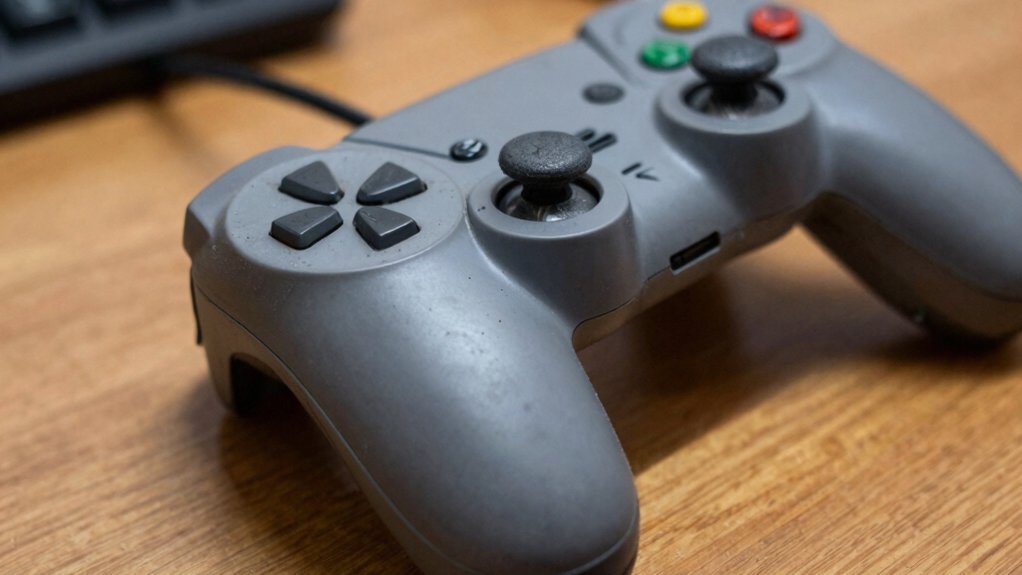
You’ll save cash, keep the original feel, and cut waste by fixing the bumpers yourself instead of tossing the whole controller. A simple continuity test can reveal a bad switch, and a quick clean or a solder‑free snap‑in replacement often restores full responsiveness. You also avoid the hassle of re‑learning a new controller’s ergonomics and can extend the life of a device you already own. Keep going to discover the exact tools, steps, and maintenance tips you’ll need.
Xbox Series X Controller Bumper: Quick Diagnosis

Ever wonder why your bumper clicks but never registers a press? You hear the click, yet the game shows nothing—classic sign the bumper switch isn’t closing. First, grab a continuity tester; probe the switch while you press the bumper. If the meter stays open, the switch is dead. Next, check for debris. Dust or crumbs can jam the plastic housing, preventing the switch from moving fully. A quick debris cleanup—blowing out particles and wiping the rim—often restores function. If the switch still fails, inspect the plastic bumper for cracks or wear; a broken piece can misalign the contacts. Remember, stick drift is unrelated, but a faulty bumper switch can masquerade as a broader hardware issue, so isolate and fix it before assuming the whole board is bad. Additionally, ensure your controller is fully updated, as firmware discrepancies can compound input issues even when the bumper hardware is functioning controller firmware.
Why Bumper Failure Matters for Your Gaming Setup
When your bumper fails, you lose those split‑second actions that can decide a match, so your gameplay suffers instantly. Fixing it yourself saves you the cost of a brand‑new controller and avoids the expense of frequent replacements. A repaired bumper also keeps your controller reliable longer, letting you stay in the game without compromising your budget. Lifetime warranty supports long-term parts reliability for peace of mind.
Impact on Gameplay
Bumper failure throws off gameplay accuracy the making precise aiming, quick weapon swaps, and instant ability triggers feel sluggish or impossible. When the plastic wears down or debris builds up, the switch may register late or not at all, so you miss crucial in‑game actions. That lag compounds in competitive matches, turning a simple button press into a gamble. Over time, consistent sticking or misreads can also contribute to longer kill/fight times and erode muscle memory, further diminishing your in-game responsiveness mechanical reliability.
Maintenance Cost Savings
How much could you save by fixing a busted bumper instead of buying a new controller? When you replace worn bumpers yourself, you avoid the $70‑$100 price tag of a fresh unit and cut downtime. A quick dust‑blow, a fresh switch, or a simple solder job restores full response for a fraction of the cost. Regular maintenance—cleaning, inspecting for debris, swapping out tired bumpers—keeps the controller reliable and prevents expensive repairs later. By diagnosing problems with a click test or continuity check, you pinpoint the issue and replace only the faulty part. This targeted approach delivers real cost savings, letting you keep gaming without draining your wallet under-desk cable management and maintaining a tidy, efficient setup.
Longevity and Reliability
Ever notice how a single busted bumper can turn a tight match into a frustrating slog? When bumper switches fail, you lose critical inputs, and the game feels unresponsive. Fixing the issue yourself extends your controller’s longevity, keeping you in the zone without a fresh purchase. A quick DIY swap costs a fraction of a new unit, and regular maintenance—cleaning debris and testing continuity—prevents future dead zones. The payoff? Consistent performance, lower repair cost, and a controller that lasts through countless sessions.
| Issue | DIY Fix | Cost Savings |
|---|---|---|
| Stuck bumper | Replace switch | 80% |
| Intermittent press | Clean contacts | 70% |
| Full failure | Swap whole assembly | 85% |
Common Bumper Issues: Dirt, Wear, and Broken Clips
Ever noticed how a speck of dust can make your bumper feel unresponsive? You’ll find that grime and debris settle around the tiny switches, blocking the contact and causing missed presses. Over time, wear and tear loosen the mounting clips, so the bumpers wobble and lose tactile feedback. When a plastic piece cracks, the broken clips no longer hold the button in place, leading to misalignment with the switch beneath. This combination of dirt, wear, and broken clips can make the bumper feel dead even though the controller’s internals work fine. By cleaning out the dust, tightening loose clips, and swapping out cracked plastic, you restore proper function without buying a new controller. Dual connections, built-in ease of maintenance, and compatibility with low-latency audio concepts aptX Low Latency further support reliable, synchronized performance in modern setups.
Essential Tools & Parts for Xbox Series X Bumper Repair

Need the right tools and parts on hand before you start fixing Xbox Series X bumpers, and the list is surprisingly short. Grab a soldering iron, desoldering wick, and a set of replacement switches that match Xbox 360/One specs. A small screwdriver kit, pliers, and a spudger let you pry open the shell without cracking it. Keep isopropyl alcohol (99 %), warm water, dish soap, and an old toothbrush nearby to scrub dust off the contacts. A continuity tester will confirm each bumper registers after you re‑solder. Stock a ten‑pack of bumper switches so you can swap both sides and have spares for future wear. Dry everything thoroughly, then follow precise soldering steps to protect the motherboard. Restocking options help ensure you’re never without essential parts when a bumper starts to wear out.
Step‑by‑Step Disassembly of an Xbox Series X Controller
How do you get inside an Xbox Series X controller without damaging anything? First, remove the two screws on the back, then gently pry off the top shell using a plastic spudger. Keep the bumper buttons accessible as you lift the shell; they’ll pop out with the internal board.
Next, unscrew the four interior fasteners and lift the PCB, exposing the bumper mechanism. At this stage you can inspect for debris or worn switches. For cleaning, soak the plastic parts in warm, soapy water and scrub with a toothbrush, then dry thoroughly before reassembly. If a bumper button fails, you’ll need a soldering iron, desoldering wick, and compatible replacement switches to re‑solder onto the PCB. Follow iFixit’s sequence to ensure each step aligns correctly.
Cleaning the Bumper Mechanism With Household Supplies

First, disassemble the controller according to the guide, then soak the plastic bumper pieces in warm, with dish soap. The solution loosens grime, making debris removal easier.
While the parts soak, grab an old toothbrush and scrub the button sheath, contacts, and return springs to clear any lingering particles.
Dry the pieces thoroughly, then wipe electronic contacts with 99% isopropyl alcohol—just be sure the board is completely dry before reassembly to avoid shorts.
This bumper cleaning often resolves sluggishness, giving you a clear data point for repair vs replacement decisions without opening the controller further. Plug-and-play
Plastic Bumper Clip vs. Switch: When to Replace Each?
When does a plastic bumper clip become the culprit instead of the switch underneath? If you hear a click but the game doesn’t register, inspect the bumper clip first. Wear debris failure often mars the plastic piece or its contact surface, causing press failure even when the switch still works. A quick visual check for cracks, dirt, or loose clips can save you a costly switch replacement. Only move to soldering new switches when the circuitry feels intermittent or the contacts are visibly worn.
Check the bumper clip first; debris or wear can cause clicks without registering the game.
- Clean or replace the bumper clip if debris or wear blocks the press.
- Perform a switch replacement if the board’s contacts are damaged or unreliable.
- Choose the cheaper, faster bumper fix before tackling the more complex switch swap.
Solder‑Free Switch Replacement Options for Beginners
Ever tried fixing a busted bumper without a soldering iron? You can swap the broken switch using solder‑free methods that keep the job beginner‑friendly. Snap‑in or plug‑and‑play film and metal contact switches fit directly into the controller’s PCB, so you avoid desoldering and the risk of lifting pads.
Pressed‑fit PCB switches, adapter headers, and surface‑mount momentary switches with breakout leads also work well; just press them into place and clip the leads to the existing pads. When picking parts, match the Xbox bumper’s actuation force and travel to preserve feel. Keep in mind that solder‑free options may be scarce for some models and mightn’t last as long as a traditional soldered bumper replacement.
Solder‑Based Switch Swap: Tools & Safety
Need to’re a solder‑based switch swap? You’ll strip the old bumper switches with a soldering iron and desoldering wick, then drop in new replacement switches that fit Xbox 360 and One controllers. Set up a heat‑resistant workstation, vent fumes, and ground yourself to avoid static discharge. Keep the iron’s temperature low enough to protect the PCB, and clean excess solder with isopropyl alcohol. Precise placement guarantees smooth button actuation, and following safety steps prevents component damage and warranty voiding.
Solder old bumper switches, replace with new Xbox 360/One parts, and safely finish with proper ventilation and grounding.
- Soldering iron, desoldering wick, and flux for clean joints.
- Replacement switches (ten‑pack) and solder, ready for installation.
- Safety gear: heat‑resistant mat, ventilation, grounding strap, and eye protection.
Testing the Repaired Bumper Before Reassembly
After you’ve finished soldering the new bumper switches, give them a quick functional check before snapping the case back together. Press each bumper repeatedly and feel for consistent actuation; any hesitation or double‑click signals a loose mount or cold joint.
Grab a continuity tester and tap the switch while watching the meter—each press should close the circuit cleanly, confirming no intermittent connections.
Inspect the housing for debris that could cause sticking, and make sure the switch seats sit flush in their holes.
Run a dry‑run test with the case halves separated, watching the travel and return of the mechanism.
Once all bumpers pass this testing, you can proceed confidently to reassembly.
Maintenance Tips to Keep Your Xbox Series X Bumper Working
You should wipe dust from the bumper area often so the switch stays responsive. Grab a continuity tester to see if each press registers before you open the controller. If a switch feels sticky or fails the test, swap it for a compatible replacement and keep a spare set handy.
Clean Dust Regularly
Ever wonder why your Xbox Series X bumper sometimes feels sticky or unresponsive? Dust settling around the bumper assembly can bind the switch, causing missed presses. Regular cleaning prevents grime from building up and preserves the tactile click you expect. Use a gentle air blast or a soft brush to dislodge particles, then wipe the surface with a microfiber cloth—no moisture needed. If you take off the bumper assembly, soak the plastic parts in warm,apy water, rinse, and dry completely before reassembly. For stubborn grime, a quick swipe of isopropyl alcohol on non‑electronic contacts works, but ensure everything’s dry before reconnecting.
- Air blast or brush to remove loose dust
- Microfiber cloth for dry surface cleaning
- Isopropyl alcohol wipe on contacts, then fully dry
Check Button Continuity
Wondering why your bumper feels unresponsive even after cleaning? Grab a continuity tester and probe the bumper microswitch. If you get a clean signal, the circuit’s alive; if not, the switch is dead and needs replacement. When continuity shows but the game ignores presses, the issue is usually debounce—too rapid a signal that the firmware filters out. Clean dust from the button’s travel path, then re‑test in a dashboard or calibration screen to verify consistent clicks.
If you still see intermittent cont continuity, the microswitch may be worn, so consider swapping it out before the whole assembly fails. Regular checks keep your Xbox Series X bumper responsive and prevent frustrating lag during gameplay.
Replace Worn Switches
Why let a worn bumper switch cripple your Xbox Series X gameplay? You can revive it by swapping the faulty bumper switches yourself. First, remove the exterior panels following a guide like iFixit, then soak the plastic bumper pieces in warm, soapy water and scrub with a toothbrush. Dry them thoroughly before reassembly. Use a continuity test to confirm the original switch no longer registers presses, then desolder it with a wick and solder a new switch in place. Buying a multipack of switches keeps future repairs cheap and ensures you always have spares.
- Perform a continuity test before and after replacement
- Use proper soldering techniques to avoid heat damage
- Clean and dry all components before re‑installing the bumper
Final Verdict: Repair, Replace, or Upgrade?
When your controller’s bumpers keep missing clicks or feel sticky, the choice boils down to three options: repair, replace the whole unit, or upgrade to a newer model. If you’re comfortable with iFixit guides, start with bumper repair. Clean debris, test continuity, and swap worn switches—this boosts durability while preserving cost effectiveness. Should the board show lingering faults after cleaning and switch replacement, the repair route loses merit.
At that point, weigh the expense of a new controller against the benefits of a newer model with improved ergonomics and firmware support. If you value long‑term reliability and want the latest features, upgrade. Otherwise, replace the entire unit when the price gap is small and you prefer a fresh, guaranteed‑working controller.
Frequently Asked Questions
What’s the Average Lifespan of an Xbox Controller?
You’ll typically get two to three years of solid use before the bumpers start failing, though heavy gaming can wear them out in just a year or two. Regular cleaning and occasional part swaps can push that lifespan further.
Is It Worth Repairing a Controller?
Yes, it’s worth repairing if the board works and you can replace the worn bumpers yourself; you’ll save money, extend life, and avoid the hassle of buying a brand‑new controller.
Are Aftermarket Bumpers Worth It?
Yes, aftermarket bumpers can be worth it if you’re comfortable soldering and want a cheap fix, but expect variable quality, possible fit issues, and shorter lifespan compared to OEM replacements.
How Often Should You Change Controllers?
You should swap out controllers roughly every six to twelve months, depending on how intensely you play and how quickly the bumpers wear, so you keep performance reliable without overspending.
In Summary
If you’ve got a busted bumper on your Xbox Series X controller, fixing it yourself usually beats buying a brand‑new one. The parts are cheap, the tools are simple, and you’ll have a controller that feels just as good as the original—plus you’ll learn a handy skill. So weigh the cost of a repair kit against a replacement, and most of the time, a quick DIY fix will keep you gaming without the extra expense.


