
Start by picking the platform you use most, then look for its $15‑or‑less tier—PlayStation Essential ($10), Xbox Game Pass Core ($10), Nintendo Switch Online (as low as $4), or Apple Arcade ($4.99). Check if an annual plan or family share drops the per‑person cost further. Add a cloud‑gaming add‑on like GeForce Now or Luna+ if you want cross‑device play without raising the bill. Compare library size, release cadence, and multiplayer perks, and you’ll see which option fits your budget best.
Pick Your Platform & Play Style for a $15 Gaming Subscription
Looking to keep your gaming budget under $15? Choose a subscription that matches your platform and play style. If you own a PlayStation, the Essential tier costs $10 monthly and gives you online multiplayer plus two free games each month; upgrade to Extra for $15 monthly to unlock a larger PS4/PS5 library. Xbox users can start with Game Pass Core at $10 monthly for basic online play, then move to Standard at $15 monthly for a broader console library. Nintendo Switch Online starts around $4 monthly, offering classic NES/SNES titles and cloud saves; add the Expansion Pack for more retro games at a higher price. Each option balances price, library size, and cloud gaming access, letting you stay under $15 while enjoying the games you love. Platform-specific pricing provides a quick reference to how pricing aligns with access across major ecosystems.
15‑Or‑Less Subscription Tier Comparison
Which subscription gives you the most bang for your buck without breaking the $15‑a‑month ceiling? You’ll find each tier’s monthly price, game library size, online multiplayer access, and cloud streaming options side‑by‑side, making a quick pricing comparison effortless.
Additionally, keep in mind that some services offer varied features like extended cloud saves and platform-specific perks, which can influence value beyond price alone USB-C PD 20W and may affect long‑term gaming workflow without exceeding budget.
Family & Annual Plans to Keep Gaming Subscriptions Under $15
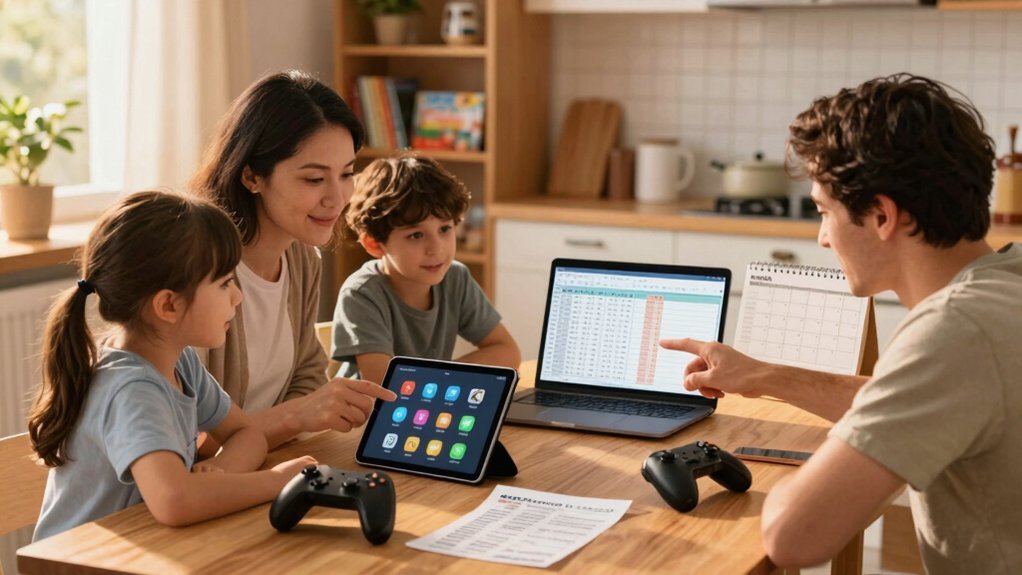
Ever wondered how to stretch a single subscription across a whole household without exceeding $15 a month? Family plans let you split the monthly cost, so a $4 Nintendo Switch Online family tier becomes $1 per person, while Google Play Pass at $5 supports five members, dropping the per‑head price to $1. Annual plans further slash fees: PlayStation Plus Essential costs $80 yearly, which is $6.67 per month, and Humble Choice at $14.99 monthly stays under $15 without a yearly discount. For PC gaming, EA Play and Ubisoft+ hover at $14.99, but bundling with annual pricing can keep you under the limit. Do a price comparison, prioritize family sharing, and you’ll keep library access affordable while staying under $15. Additionally, consider how subscription sharing across devices can maximize value without increasing costs.
Cloud‑Streaming Add‑Ons for $15 Gaming Subscriptions
You can boost your gaming library with cloud‑streaming add‑ons that stay under $15 a month, giving you instant access to titles without a console. These budget‑friendly options work across PC, Mac, and mobile devices, so you can pick up where you left off on any screen. Just make sure your internet meets the service’s speed requirements for smooth performance. USB-C connectivity helps ensure quick and reliable device compatibility across setups.
Cloud Gaming Options
Looking for a cloud‑gaming solution that fits a $15‑a‑month budget? You can tap GeForce Now for $10 a month, streaming games you already own on Steam or Epic at 1080p/60fps. The free tier limits you to one‑hour sessions, but the paid plan gives you a full library without buying a new console.
For mobile gaming, Google Play Pass ($5) and Apple Arcade ($4.99) unlock ad‑free, in‑app‑purchase‑free catalogs, perfect for on‑the‑go play.
Amazon Luna’s Luna+ channel sits at about $10, delivering cloud streaming across PC, TV, and mobile, while Prime Gaming adds extra perks if you already have Prime.
All these services keep the subscription price under $15, expanding your game library without breaking the bank. Cloud Gaming Services offer flexible options across devices and budgets, with several plans remaining under the $15 mark.
Budget-Friendly Add‑Ons
A solid way to stretch a $15‑a‑month gaming budget is to layer a cloud‑streaming add‑on onto your main subscription. Low‑cost add‑ons let you tap extra catalog size without inflating the subscription price, and they often pack high‑quality streaming games into a tiny monthly cost. Budget‑friendly options can broaden your library without upgrading your base plan.
Cross‑Platform Compatibility
Ever wondered how to keep your gaming experience seamless across devices without breaking the $15‑a‑month ceiling? Cross‑platform cloud gaming lets you jump from mobile gaming to PC and console in seconds. GeForce Now’s $9.99 tier streams your Steam or Epic library to Android, Windows, Mac, iPhone, and iPad, giving you multi‑platform access without extra hardware. Google Play Pass and Apple Arcade serve cross‑device mobile gamers for under $5, while Nintendo Switch Online’s $4 base plan adds cloud saves and legacy titles you can pick up on a handheld or TV. Pair these subscriptions with a modest Humble Choice or Ubisoft+ plan for broader PC catalog access, and you’ll have smooth compatibility, cheap streaming, and endless play wherever you are. Budget gaming motherboards can also help you optimize builds for stability and upgradability as you expand your setup upgrade path considerations.
Library Size & Release Frequency in $15 Gaming Subscriptions
Typically, the $15‑per‑month tier gives you a solid mid‑size library and a steady stream of new titles. At this price point, you balance catalog breadth with release frequency, ensuring fresh content without breaking the bank. Here’s how the major services stack up:
- Game Pass Core – $10/month, modest library, frequent day‑one releases on console and PC.
- PlayStation Plus Essential – $10/month, smaller catalog, slower rollout of new titles, but expands with the $15 Essential tier.
- Nintendo Switch Online – $4/month base, rotating NES/SNES titles, limited new releases; Expansion Pack adds more games for extra cost.
Apple Arcade and Google Play Pass stay under $15, offering extensive catalogs but slower update cycles, prioritizing breadth over rapid release frequency.
Feature‑Match Checklist for $15 Gaming Subscriptions
You should check whether the subscription gives you solid value by comparing its game library and extra perks to its price.
Make sure it works across the platforms you own, so you can play on console, PC, or mobile without extra hassle.
If both criteria line up, you’ve found a $15‑or‑less service that fits your gaming needs.
Value Gaming Options
A quick‑look checklist lets you compare core features—game library size, platform coverage, cloud streaming, and extra perks—against the $15‑a‑month ceiling, so you can spot the subscription that delivers the most bang for your buck.
- Xbox Game Pass Core – $10 / month, solid library, PC/console access, no cloud tier, but you can add EA Play for extra value.
- PlayStation Plus Essential – $10 / month, core titles, online multiplayer, and occasional free games; upgrade to Extra for a larger catalog if you still fit under $15.
- Nintendo Switch Online – $4 / month, classic NES/SNES titles plus online play; the Expansion Pack adds more games but stays under $15 for the base plan.
Standalone subscriptions like Ubisoft Plus and EA Play sit at $14.99 / month, delivering PC‑focused libraries and occasional cloud gaming. This mix maximizes value while respecting your budget.
Multi‑Platform Compatibility
Balancing your gaming budget means checking whether a subscription works across the devices you already own, and the $15‑a‑month ceiling still lets you play on consoles, PCs, and even the cloud without juggling multiple accounts. When you prioritize multi‑platform options, look for cross‑device access that unifies library accessibility. Xbox Game Pass Core and Standard give you cross‑play on consoles, while Ultimate adds cloud gaming for seamless device support. Nintendo Switch Online’s core tier stays under $15 and syncs saves across Switch consoles. PlayStation Plus Essential offers cross‑buy on PS5/PC, and Apple Arcade and Google Play Pass provide mobile streaming services with broad platform compatibility. NVIDIA GeForce Now’s $10 tier lets you stream owned titles to any supported device, ensuring you stay within budget while enjoying cross‑device freedom.
Frequently Asked Questions
How Much Is a Gaming Subscription?
You’ll pay anywhere from four to ten dollars a month, depending on the service you choose—Xbox Game Pass Core is ten, Nintendo Switch Online four, PlayStation Essential ten, and Apple Arcade about five.
How to Get Gamepass for $1?
You can’t reliably get Game Pass for $1; the cheapest official tier is Core at $10/month. Look for limited‑time trials or regional promos, but no guaranteed $1 offer exists.
Is PS Plus Going to End in 2026?
You won’t see PS Plus ending in 2026; Sony has confirmed the service will continue beyond that year, keeping Essential, Extra, and Premium tiers active for the foreseeable future.
How to Find Monthly PS Plus Games?
You browse the PlayStation Store, select “Plus” tab, filter by “Monthly” and “Games” options, then scroll the “Games” list to see each month’s free titles and download them instantly.
In Summary
You’ve seen how to match your platform, play style, and budget to a sub‑$15 gaming subscription. By comparing tier features, opting for family or annual plans, and leveraging cloud‑streaming add‑ons, you can keep costs low without sacrificing library size or release frequency. Use the feature‑match checklist to pinpoint the perfect fit, and you’ll enjoy endless gaming without breaking the bank.


