
You avoid a huge upfront cost, paying only a modest, predictable fee that lets you swap gear whenever you need. Maintenance, depreciation, and insurance are handled by the provider, so you stay up‑to‑date with the latest GPUs, VR headsets, and pro controllers without risking e‑waste. Rentals give you the flexibility to gear up for tournaments, travel, or short‑term projects and test equipment before committing. Keep reading to discover how to maximize savings and timing.
Buying vs. Renting Gaming Gear: The Real Cost
Why pay a hefty upfront price when you can rent the same high‑end gear for the exact time you need it? You avoid the massive purchase bill and instead pay a predictable hourly or monthly rate. Rental terms let you scale up for a tournament or scale down during off‑season, so you never lock money into idle equipment. The provider handles maintenance and repairs, sparing you the hassle of troubleshooting or paying for parts. Because used‑market GPU values drop about 15 % each year, resale risk shrinks, making renting a steadier financial choice. When you add up depreciation, insurance, storage, and upgrade cycles, the total cost of ownership on owned gear quickly outpaces the simple, all‑inclusive rental fee. This approach keeps your budget lean while delivering top‑tier performance exactly when you need it. Cost considerations can also be better managed through rental programs that occasionally include upgrade cycles to keep you competitive without large capital outlays.
How Rental Models Slash Upfront Expenses for High‑End Gear
You can start gaming with top‑tier gear without spending a fortune upfront, because you only pay for the time you use it. This pay‑per‑use model lets you avoid the massive purchase price of high‑end GPUs and other peripherals. You can also consider renting from reputable suppliers to assess compatibility before committing long‑term, which adds flexibility for future upgrades and keeps overhead predictable payment flexibility.
Zero‑Cost Upfront Investment
Ever wondered how you can wield top‑tier GPUs and peripherals without draining your budget? With a rental model, you dodge the massive upfront investment that a new high‑end setup demands.
Instead of paying thousands upfront, you only cover the time you actually use the gear, turning a huge cash outlay into modest, predictable payments.
This cost savings approach frees your capital for other priorities and eliminates depreciation worries.
You get instant access to current‑generation hardware without tying up funds in ownership, so your budget stays flexible and your gaming experience stays cutting‑edge.
The rental structure focuses on time‑based fees, not purchase price, ensuring you never shoulder a large initial expense. Time-based fees
Pay‑Per‑Use Flexibility
How much could you save by paying only for the minutes you actually game? Renting lets you avoid the massive upfront price tag of a high‑end rig, so you spend just on the time you use. A pay‑per‑use model strips away depreciation, maintenance, and energy bills that cling to ownership. You keep cash on hand for other priorities while still tapping cutting‑edge GPUs, CPUs, and premium peripherals. Scalability becomes effortless: need a boost for a marathon session? Add power instantly. Finished the tournament? Scale back without buying new hardware. No resale hassle, no long‑term commitment—just the exact performance you need, when you need it, at a fraction of the cost. Blue Light Technology can help reduce eye strain during long gaming sessions by filtering blue light on screens, further enhancing comfort when using high‑end gear rented for extended periods.
Flexibility on Demand: Renting Gaming Gear for Tournaments, Travel, and Short‑Term Projects
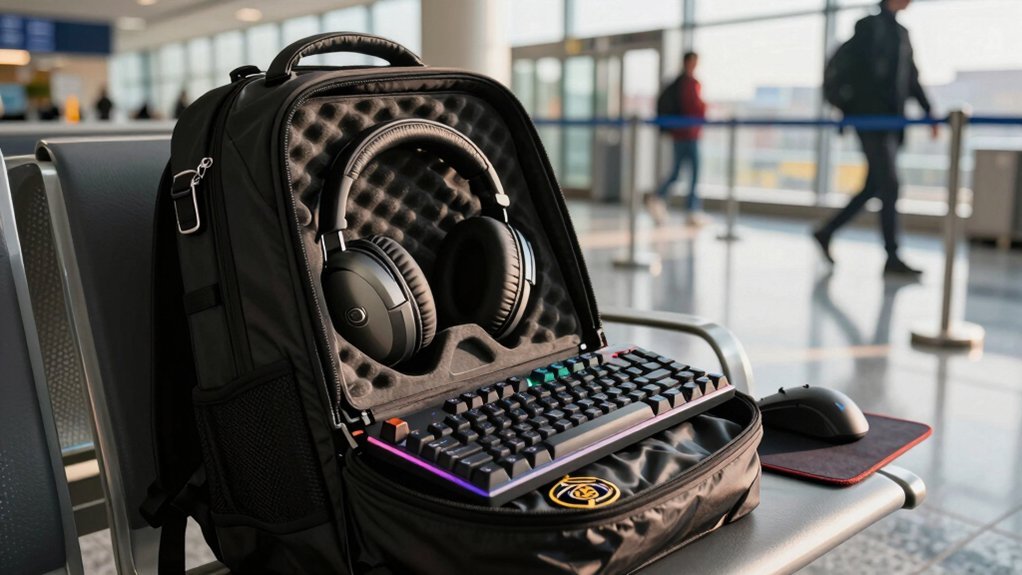
Why settle for a static setup when a tournament, road trip, or short‑term project can demand a completely different rig? A rental service gives you the flexibility to swap out a high‑performance GPU or CPU in minutes, matching the exact specs the event requires. This approach also aligns with the idea of maximizing value amid rising AAA title prices and the emphasis on hardware compatibility to maximize subscription value, ensuring you can tailor performance to your needs downloadable games vs streaming for offline or on‑the‑go play. You avoid hauling bulky gear across airports because the provider ships a ready‑to‑play package, complete with peripherals that fit any venue. When the competition ends, you simply return the equipment, sidestepping long‑term ownership costs and maintenance headaches.
Testing multiple configurations becomes effortless, letting you compare performance without committing to a purchase. This on‑demand approach keeps your setup lean, your budget intact, and your gameplay sharp wherever you go.
Latest GPUs, VR, and Pro Controllers Without Depreciation
You get instant access to the newest GPUs, VR headsets, and pro‑grade controllers without ever owning them. Retractable ceiling systems simplify setup and help prevent cable tangles while you game. Because you’re only paying for the time you use, depreciation never eats into your budget.
The rental package even bundles high‑performance monitors and keyboards, so your rig is ready to go the moment it arrives.
High‑End Tech Access
Ever wondered how you can wield the newest GPUs, VR rigs, and pro‑grade controllers without watching their value plummet? Rental services give you instant access to high-performance hardware while keeping costs flexible. You swap a $2,000 graphics card for a monthly fee, avoid depreciation, and test extreme overclocked setups without maintenance headaches. The provider handles repairs, so you stay on‑game and can upgrade whenever a fresh model drops. This approach lets you compare specs side‑by‑side, sidestepping buyer’s remorse. Plug-and-play cross‑platform compatibility ensures you can swap gear across systems without compatibility headaches.
Zero Depreciation Risk
Curious how you can stay on the cutting edge without watching your gear lose value? Zero depreciation risk means you never own a piece of hardware that drops in price while you sit on it. Renting transfers that risk to the provider, so you only pay for the time you use the latest GPUs, VR headsets, and pro controllers. You stay current, avoid sunk‑cost anxiety, and keep cash free for other upgrades.
- No resale worries – the rental company absorbs market fluctuations.
- Instant access – get the newest peripherals as soon as they launch.
- Flexible upgrades – switch to newer models after each term without loss.
What Rental Providers Cover: Maintenance, Repairs, and Support
Why bother worrying about broken gear when a rental provider handles it all? You get full‑service maintenance, repairs, and support without lifting a finger. The provider schedules routine upkeep, runs firmware updates, and troubleshoots issues before they affect play. If a mouse glitches or a headset fails, the contract covers recovery and replacement, so you never face costly downtime. Their tech team tests each unit, it arrives, guaranteeing a ready‑to‑use experience. Clear terms spell out damage handling, limiting your liability and freeing you from IT headaches. You focus on gaming, while the rental shop keeps hardware pristine, fixes faults, and offers responsive support whenever you need it.
How to Start a Gaming Peripheral Rental: Sign‑Up, Choose, and Ship
You’ll create an account in minutes, then browse the catalog and pick the exact peripheral package you need.
After you set the rental dates and enter your shipping info, the provider ships everything, ready to plug in.
If anything goes wrong, you can request support or a replacement, and returning it’s as simple as packing and using the prepaid label.
Create Account Quickly
- Quick signup: Fill out a short form and verify your ID instantly.
- Smooth onboarding: Store your address and payment details for repeat rentals.
- Instant account creation: Access the dashboard, browse gear, and schedule shipping right after.
With these steps, you’re ready to rent high‑end GPUs, mice, keyboards, and more without the hassle of a drawn‑out setup.
Select Package Easily
How do you pick the perfect gaming peripheral package without drowning in options? First, sign up, create an account, and input shipping and billing details. Then, explore the catalog: choose a rental duration that matches your schedule—whether a weekend sprint or a month‑long campaign. Browse configuration options, from high‑end GPUs to mechanical keyboards, and decide if you want pre‑built bundles or a custom build. Finally, confirm your selection and the provider ships everything, including return packaging, to your door.
| Step | What you do |
|---|---|
| Sign‑up | Create account, add address, payment |
| Choose | Set rental duration, pick configuration options, select bundled peripherals |
| Ship | Provider delivers, you receive, return at period end |
Try‑Before‑You‑Buy: Testing New Tech Through Rental Trials
Ever wondered if you could feel the power of a high‑end GPU or the click of a premium mechanical keyboard before spending a fortune? Renting lets you test peripherals hands‑on, so you can gauge performance, build quality, and compatibility without committing. You’ll discover how a specific setup handles your favorite titles, spot latency or heat issues, and compare options before buying. A short‑term rental trial also gives you flexibility for product launches or seasonal projects, turning uncertainty into confidence.
- Rent a top‑tier GPU or monitor for a weekend to see real‑world frame rates.
- Testing a mechanical keyboard lets you feel key travel and actuation before purchase.
- Peripherals like high‑performance mice can be evaluated for ergonomics and sensor accuracy.
E‑Waste Reduction: Environmental Benefits of Gaming Peripheral Rental
When you rent gaming peripherals instead of buying them, you cut e‑waste dramatically by keeping high‑end gear in circulation rather than letting it sit idle or end up in landfills. Short‑term rentals let you use top‑tier keyboards, mice, and headsets only when you need them, so you avoid buying items that become obsolete quickly. Rental services handle maintenance and repairs, extending each device’s life and preventing premature discard. By returning gear for repurposing, you feed a circular economy that keeps equipment active and reduces the volume of discarded peripherals. These rental benefits also let you upgrade to newer models without adding to landfill waste, turning every gaming session into a greener choice.
Rental Budget Tips & Timing Seasonal Sales
Looking to stretch your gaming budget without sacrificing performance? Plan rentals around seasonal sales and you’ll keep costs low while still getting top‑tier gear. Track discount calendars, set alerts for flash deals, and bundle rentals with other events to maximize savings. When you rent, you can test configurations before committing, so you avoid paying for gear you might never use.
Here are three quick tactics:
- Time rentals for off‑peak months when providers run clearance sales and offer lower rates.
- Combine multiple peripherals in one order to unlock bulk‑rental discounts during holiday promotions.
- Use trial periods to test configurations, then lock in the best price before the sale ends.
Renting vs. Buying: A Gamer’s Decision Guide
Why choose one over the other? When you rent high‑performance gear, you pay only for the weeks you need it, turning a massive purchase into a cost‑efficient subscription. You gain flexibility for weekend tournaments, travel gigs, or experimental VR setups, then return the equipment without long‑term commitment. Rentals usually include maintenance, so you avoid downtime and repair bills. You can test multiple GPUs, monitors, and peripherals before deciding which one truly upgrades your play, sidestepping depreciation and resale hassles. If you prefer ownership, buying locks you into a fixed asset that may become outdated quickly, but it eliminates recurring fees. Weigh your budget, usage pattern, and desire for the latest tech to decide whether renting or buying best fits your gaming lifestyle.
Frequently Asked Questions
What Is the 5% Rule When Comparing Renting Vs Buying?
You compare yearly depreciation to rental cost; if the device loses about 5% of its MSRP each year, you treat that $50 per $1,000 as the “ownership” expense and match it against the rental fee.
Why Are Gaming Laptops so Overpriced?
You see gaming laptops priced high because manufacturers bundle premium GPUs, fast CPUs, high‑refresh displays, and specialized cooling into a compact chassis, then add brand premiums, limited‑edition aesthetics, and costly R&D.
How Long Will a $1000 Gaming PC Last?
You’ll likely get three to five years of solid performance before you notice noticeable slowdowns, assuming you keep the system well‑maintained and avoid demanding new titles that require cutting‑edge hardware.
Why Is HP Shifting to a Gaming Laptop Rental Model?
You’re seeing HP shift because rentals cut upfront costs, let you upgrade instantly, avoid depreciation, and provide hassle‑free maintenance—so you get top‑tier performance only when you actually need it.
In Summary
So, after weighing the upfront costs, flexibility, and environmental perks, renting lets you stay ahead of the tech curve without breaking the bank. You’ll get top‑tier gear when you need it, dodge depreciation, and avoid hassle‑filled maintenance. If you game competitively, travel often, or just love trying the latest toys, renting is the smarter, greener choice—leaving you free to focus on the play, not the price tag.


Leave a Reply